10 Best WiFi Extenders for Your Starlink Signal
By George 13 min read
Disclosure: This post may contain affiliate links. If you buy through them, we may earn a commission at no extra cost to you.
Starlink gives you fast satellite internet, but dead zones in your home can still slow things down. A WiFi extender fixes that by pushing your signal further without replacing your existing setup. You’ve got options ranging from budget-friendly repeaters to weatherproof outdoor units, and each one serves a different need. Knowing which one fits your space and usage makes all the difference — and that’s exactly what this guide breaks down.
| Starlink Mini Router WiFi Extender for Mesh Network |

| Best for Starlink | Max Coverage: 1,250 sq ft | Max Data Rate: 150 Mbps (wireless) | Wi-Fi Standard: Wi-Fi 6 (802.11ax) | VIEW LATEST PRICE | Read Our Analysis |
| TP-Link AC1200 WiFi Extender Dual Band 5GHz/2.4GHz (RE315) |
| Budget-Friendly Pick | Max Coverage: 1,500–1,600 sq ft | Max Data Rate: 1,200 Mbps (867 Mbps 5GHz + 300 Mbps 2.4GHz) | Wi-Fi Standard: Wi-Fi 5 (802.11ac) | VIEW LATEST PRICE | Read Our Analysis |
| Mini Mesh Wi-Fi Router Compatible with Starlink |

| Most Compatible | Max Coverage: 1,250 sq ft | Max Data Rate: 150 Mbps (wireless) | Wi-Fi Standard: Wi-Fi 6 (802.11ax) | VIEW LATEST PRICE | Read Our Analysis |
| Compact Dual Band Mini WiFi Router (Starlink Compatible) |
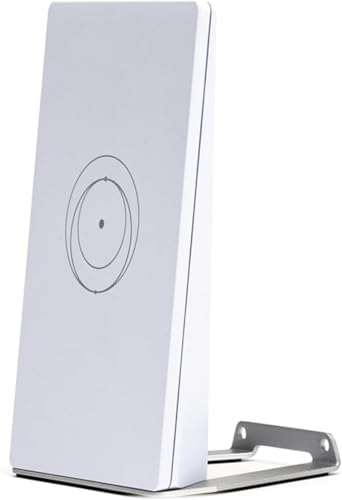
| Best for Travel | Max Coverage: ~1,184 sq ft (110 m²) | Max Data Rate: 1,200 Mbps | Wi-Fi Standard: Wi-Fi 6 (802.11ax) | VIEW LATEST PRICE | Read Our Analysis |
| TP-Link AC1900 WiFi Range Extender RE550 | Dual-Band Wireless Repeater |

| Best Performance | Max Coverage: 2,100–2,800 sq ft | Max Data Rate: 1,900 Mbps (1,300 Mbps 5GHz + 600 Mbps 2.4GHz) | Wi-Fi Standard: Wi-Fi 5 (802.11ac) | VIEW LATEST PRICE | Read Our Analysis |
| WiFi Extender Signal Booster for Home 5G 1200Mbps Dual Band WiFi Booster |

| Largest Indoor Coverage | Max Coverage: 5,000 sq ft | Max Data Rate: 1,200 Mbps (867 Mbps 5GHz + 300 Mbps 2.4GHz) | Wi-Fi Standard: Wi-Fi 5 (802.11ac/n) | VIEW LATEST PRICE | Read Our Analysis |
| 2026 WAVLINK AX1800 Outdoor WiFi 6 Extender Long Range IP67 Weatherproof |

| Best Outdoor Pick | Max Coverage: 200–300m radius (outdoor) | Max Data Rate: 1,800 Mbps (1,201 Mbps 5GHz + 574 Mbps 2.4GHz) | Wi-Fi Standard: Wi-Fi 6 (802.11ax) | VIEW LATEST PRICE | Read Our Analysis |
| WiFi Extender Long Range up to 12880 Sq Ft WiFi Booster with Ethernet Port |

| Most Versatile | Max Coverage: 12,880 sq ft | Max Data Rate: 1,200 Mbps (867 Mbps 5GHz + 300 Mbps 2.4GHz) | Wi-Fi Standard: Wi-Fi 5 (802.11ac) | VIEW LATEST PRICE | Read Our Analysis |
| 2026 WAVLINK AX3000 Outdoor WiFi 6 Extender Outdoor WiFi Repeater |
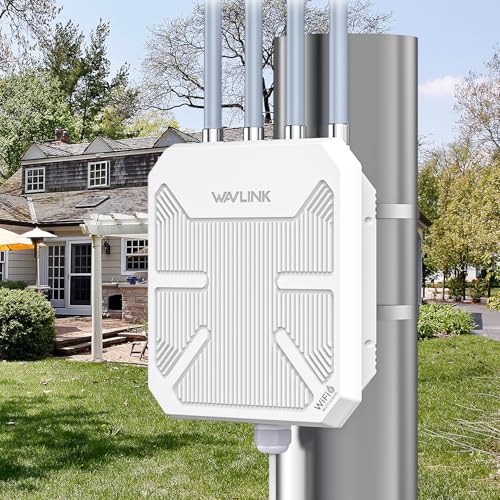
| Professional Grade | Max Coverage: 200–300m radius (outdoor) | Max Data Rate: 3,000 Mbps (2,402 Mbps 5GHz + 573 Mbps 2.4GHz) | Wi-Fi Standard: Wi-Fi 6 (802.11ax) | VIEW LATEST PRICE | Read Our Analysis |
| WAVLINK AX1800 Outdoor WiFi 6 Extender Long-Range IP67 Weatherproof |

| Editor’s Choice | Max Coverage: 200–300m radius (outdoor) | Max Data Rate: 1,800 Mbps | Wi-Fi Standard: Wi-Fi 6 (802.11ax) | VIEW LATEST PRICE | Read Our Analysis |
More Details on Our Top Picks
Starlink Mini Router WiFi Extender for Mesh Network
If you’re running a Starlink system, this WiFi extender for mesh networks is built to work directly within the Starlink ecosystem. It’s compatible with Gen 2, Gen 3, Starlink Mini Router, and Mini Kit, but won’t work with Gen 1 or third-party mesh systems. You can connect it via Ethernet or wirelessly, then mount it on a wall or set it on a table. Place it within two rooms of your main router for best results. It covers 1,250 square feet, supports Wi-Fi 6, and delivers 150 Mbps wirelessly. A power supply, stand, screws, and drywall anchors are included.
- Max Coverage:1,250 sq ft
- Max Data Rate:150 Mbps (wireless)
- Wi-Fi Standard:Wi-Fi 6 (802.11ax)
- Frequency Bands:Dual-band (5 GHz only listed; 802.11ax dual-band)
- Ethernet Port:2x LAN (1,000 Mbps)
- Warranty:1 year
- Additional Feature:Starlink mesh node expansion
- Additional Feature:Wall or tabletop mount
- Additional Feature:Gen 2/3/Mini compatible
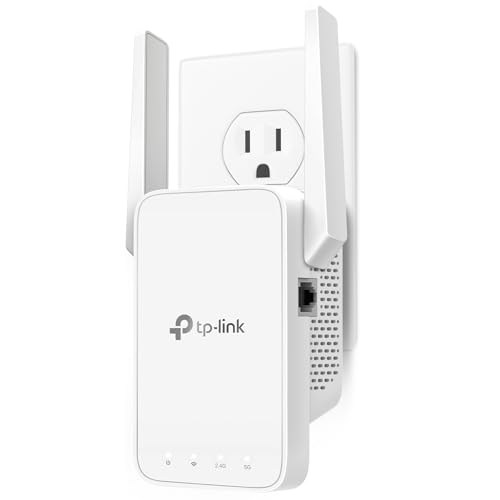
TP-Link AC1200 WiFi Extender Dual Band 5GHz/2.4GHz (RE315)
The RE315’s budget-friendly price makes it a strong pick for renters and small-home owners who need reliable Starlink coverage without overspending. It covers up to 1,500 sq. ft. and supports both 2.4 GHz and 5 GHz bands, giving you 1,200 Mbps combined. Plug it into a wall outlet halfway between your Starlink router and your dead zone, then use the TP-Link Tether app to complete setup. The single Ethernet port lets you hardwire a TV or desktop. Keep in mind that extenders don’t increase speeds — they extend coverage, so expect speeds around 50% of your current connection.
- Max Coverage:1,500–1,600 sq ft
- Max Data Rate:1,200 Mbps (867 Mbps 5GHz + 300 Mbps 2.4GHz)
- Wi-Fi Standard:Wi-Fi 5 (802.11ac)
- Frequency Bands:Dual-band (2.4 GHz + 5 GHz)
- Ethernet Port:1x RJ45 (100 Mbps)
- Warranty:2 years
- Additional Feature:EasyMesh single SSID support
- Additional Feature:32 devices supported
- Additional Feature:Tether app management
Mini Mesh Wi-Fi Router Compatible with Starlink
Anyone expanding a Starlink network is most compatible with the Mini Mesh Wi-Fi Router, which supports Gen 2, Gen 3, Gen 4, and Mini systems. Set it up wired or wirelessly, then mount it on a wall or place it on a table. Position it within two rooms of your main router and avoid concrete walls or metal appliances. It covers up to 1,250 sq ft, supports 128+ devices, and runs on Wi-Fi 6 dual-band. You get two Gigabit LAN ports, four antennas, and WPA2 security. The package includes a power supply, stand, screws, and anchors, backed by a one-year warranty.
- Max Coverage:1,250 sq ft
- Max Data Rate:150 Mbps (wireless)
- Wi-Fi Standard:Wi-Fi 6 (802.11ax)
- Frequency Bands:Dual-band (2.4 GHz + 5 GHz)
- Ethernet Port:2x LAN (1,000 Mbps)
- Warranty:1 year
- Additional Feature:Gen 2/3/4/Mini compatible
- Additional Feature:128+ devices supported
- Additional Feature:Portable, travel-friendly design
Compact Dual Band Mini WiFi Router (Starlink Compatible)
Traveling with Starlink means you need a router that’s compact enough to pack and powerful enough to perform. The Compact Dual Band Mini WiFi Router fits that need. It runs on both 2.4GHz and 5GHz bands, reaches speeds up to 1200 Mbps, and covers around 110 square meters. Setup is plug-and-play, so you don’t need technical experience. It works with Starlink Gen 3, Mini, and standard ISPs. You get two Gigabit LAN ports, WPA3 security, and mesh network support for expanding coverage. It’s a practical, low-power option for travel, small apartments, or mobile Starlink setups.
- Max Coverage:~1,184 sq ft (110 m²)
- Max Data Rate:1,200 Mbps
- Wi-Fi Standard:Wi-Fi 6 (802.11ax)
- Frequency Bands:Dual-band (2.4 GHz + 5 GHz)
- Ethernet Port:2x LAN (1,000 Mbps)
- Warranty:1 year
- Additional Feature:WPA3 security protocol
- Additional Feature:256 MB RAM onboard
- Additional Feature:Internal antenna design
TP-Link AC1900 WiFi Range Extender RE550 | Dual-Band Wireless Repeater
Homes needing top-tier coverage without sacrificing speed will find the RE550 delivers performance that’s hard to match. It runs 1300 Mbps on 5 GHz and 600 Mbps on 2.4 GHz, covering up to 2,800 sq ft while supporting 32 devices. Use the Tether app to set it up, find the best placement with the signal indicator, and push firmware updates. If your router supports EasyMesh, the RE550 joins your existing network under one name. Otherwise, it creates a separate SSID. Plug a wired device into the Gigabit Ethernet port or switch it to Access Point mode for added flexibility.
- Max Coverage:2,100–2,800 sq ft
- Max Data Rate:1,900 Mbps (1,300 Mbps 5GHz + 600 Mbps 2.4GHz)
- Wi-Fi Standard:Wi-Fi 5 (802.11ac)
- Frequency Bands:Dual-band (2.4 GHz + 5 GHz)
- Ethernet Port:1x Gigabit Ethernet
- Warranty:Not specified (manufacturer warranty implied)
- Additional Feature:Smart Adaptive Roaming
- Additional Feature:Gigabit Ethernet port
- Additional Feature:Three adjustable antennas
WiFi Extender Signal Booster for Home 5G 1200Mbps Dual Band WiFi Booster
If you need the largest indoor coverage, the VERMEYEN WiFi Extender covers up to 5,000 sq ft. It supports 35 devices across both 2.4 GHz (300 Mbps) and 5 GHz (867 Mbps) bands. You can run it as a repeater or switch it to AP Mode for a wired setup. Use the built-in Ethernet port to connect a smart TV or similar device directly. To set it up, press the WPS button or connect to WiFi-pro_xxxx and visit 192.168.11.1. Disable mobile data first. If issues arise, hold the reset button for 10 seconds to restore factory settings.
- Max Coverage:5,000 sq ft
- Max Data Rate:1,200 Mbps (867 Mbps 5GHz + 300 Mbps 2.4GHz)
- Wi-Fi Standard:Wi-Fi 5 (802.11ac/n)
- Frequency Bands:Dual-band (2.4 GHz + 5 GHz)
- Ethernet Port:1x Ethernet port
- Warranty:180 days (return/replace); 1 year also mentioned
- Additional Feature:35 devices supported
- Additional Feature:WPS one-tap setup
- Additional Feature:7×24 lifetime support
2026 WAVLINK AX1800 Outdoor WiFi 6 Extender Long Range IP67 Weatherproof
Your outdoor WiFi gap meets its top fix with the WAVLINK AX1800. This WiFi 6 extender delivers dual-band speeds up to 1800 Mbps and covers up to 300 meters line-of-sight using four 8dBi antennas. It’s IP67-rated, handles temperatures from -20°C to 50°C, and resists rain, dust, and lightning up to 6KV. Power it through a single Ethernet cable using the included 54V PoE adapter, but install that adapter indoors since it’s not waterproof. It works with Starlink via an Ethernet adapter and supports up to 256 devices across AP, Repeater, Router, and Mesh modes.
- Max Coverage:200–300m radius (outdoor)
- Max Data Rate:1,800 Mbps (1,201 Mbps 5GHz + 574 Mbps 2.4GHz)
- Wi-Fi Standard:Wi-Fi 6 (802.11ax)
- Frequency Bands:Dual-band (2.4 GHz + 5 GHz)
- Ethernet Port:1x Gigabit Ethernet (PoE-capable)
- Warranty:2 years
- Additional Feature:IP67 weatherproof enclosure
- Additional Feature:6kV lightning protection
- Additional Feature:PoE single-cable install
WiFi Extender Long Range up to 12880 Sq Ft WiFi Booster with Ethernet Port
Covering up to 12,880 sq ft, this most versatile extender handles gaming, streaming, video calls, and remote work without switching setups. It runs dual-band at 1,200Mbps total—300Mbps on 2.4GHz and 867Mbps on 5GHz—and supports up to 105 devices simultaneously. Set it up using WPS one-tap pairing, then mount it on a wall to save space. Connect wired devices through the Ethernet port for stable, direct access. WPA/WPA2 encryption keeps your network secure. The 360-degree antenna pushes signal through walls and floors, and mesh support lets you expand coverage further across your home.
- Max Coverage:12,880 sq ft
- Max Data Rate:1,200 Mbps (867 Mbps 5GHz + 300 Mbps 2.4GHz)
- Wi-Fi Standard:Wi-Fi 5 (802.11ac)
- Frequency Bands:Dual-band (2.4 GHz + 5 GHz)
- Ethernet Port:1x Ethernet port
- Warranty:Not specified (Amazon 30-day return noted)
- Additional Feature:105 devices supported
- Additional Feature:Penetrates walls/floors
- Additional Feature:Wall-mountable design
2026 WAVLINK AX3000 Outdoor WiFi 6 Extender Outdoor WiFi Repeater
Outdoor Starlink users who need professional-grade WiFi coverage beyond their home’s walls have a strong option in the WAVLINK AX3000. Mount it outside using the included hardware, then run a single CAT5E cable for PoE power and data—no outdoor outlet required. Its IP67 enclosure handles rain, snow, and temperatures from -20°C to 50°C, while 6kV lightning protection adds safety during storms. Four 8dBi antennas cover up to 300 meters, supporting 256 simultaneous connections. Choose from five modes—Mesh, AP, Router, Repeater, or AP+Repeater—to match your Starlink setup. A two-year warranty and lifetime technical support back your purchase.
- Max Coverage:200–300m radius (outdoor)
- Max Data Rate:3,000 Mbps (2,402 Mbps 5GHz + 573 Mbps 2.4GHz)
- Wi-Fi Standard:Wi-Fi 6 (802.11ax)
- Frequency Bands:Dual-band (2.4 GHz + 5 GHz)
- Ethernet Port:1x Gigabit Ethernet (1000/100/10 Mbps, PoE-capable)
- Warranty:2 years
- Additional Feature:15kV ESD protection
- Additional Feature:Band Steering + MU-MIMO
- Additional Feature:256 simultaneous connections
WAVLINK AX1800 Outdoor WiFi 6 Extender Long-Range IP67 Weatherproof
If you’re running Starlink across a farm, large yard, or off-grid property, the WAVLINK AX1800 is our editor’s choice for outdoor range extension. It runs dual-band WiFi 6 at up to 1800 Mbps and uses four 8dBi fiberglass antennas to push signal across open areas. The IP67 rating protects it from rain, dust, snow, and UV exposure. Set it up in AP, Router, Repeater, or WISP mode depending on your network layout. A single PoE cable handles both power and data. It backs a 2-year warranty and lifetime technical support.
- Max Coverage:200–300m radius (outdoor)
- Max Data Rate:1,800 Mbps
- Wi-Fi Standard:Wi-Fi 6 (802.11ax)
- Frequency Bands:Dual-band (2.4 GHz + 5 GHz)
- Ethernet Port:1x RJ45 (PoE-capable)
- Warranty:2 years
- Additional Feature:WISP mode supported
- Additional Feature:Farm/RV/estate ready
- Additional Feature:Lifetime technical support
Factors to Consider When Choosing a Wifi Extender for Starlink
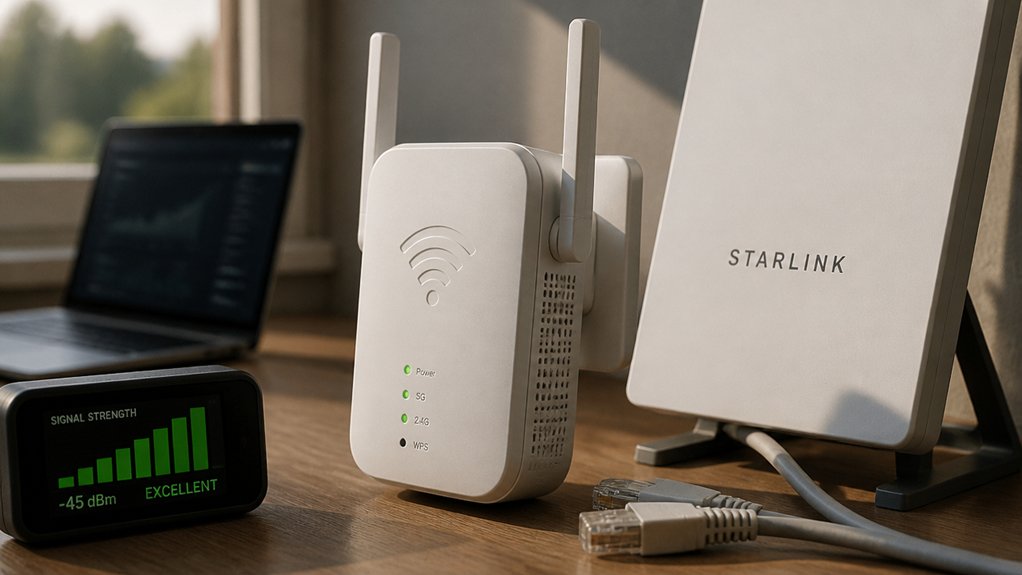
Choosing the right WiFi extender for your Starlink setup requires matching several key factors to your specific needs. You’ll want to confirm compatibility with your Starlink generation, calculate the coverage area and range you need, and decide between a wired or wireless connection setup. From there, weigh the differences between dual-band and single-band options, and check the extender’s speed and data rates to make sure they align with your Starlink plan’s output.
Starlink Generation Compatibility
Not all Starlink generations support mesh networking the same way, so you’ll need to verify compatibility before buying an extender. Gen 1 routers don’t support wireless mesh networking with extenders, which means adding a mesh node won’t work with that system. Gen 2, Gen 3, Gen 4, and Mini systems do support mesh extenders, so check which generation you own before purchasing.
You can find your Starlink generation in the app or on the hardware label. Once you’ve confirmed your generation, choose an extender that lists support for that specific family. For example, an extender built for Gen 2 and Gen 3 may not function correctly with a Mini system. Matching generations ensures a stable, fully functional mesh network without setup failures.
Coverage Area and Range
How much coverage you truly need determines which extender makes sense for your home. Most extenders cover between 1,250 and 12,880 square feet, so measure your space before choosing. If you’re extending signal indoors, count your square footage and factor in concrete walls, metal appliances, and floors, since each one reduces your usable range. For large outdoor areas, choose an IP67-rated weatherproof extender built to handle open spaces beyond typical indoor limits. Dual-band extenders broadcasting on both 2.4 GHz and 5 GHz give you more flexible coverage across multiple rooms. Check the antenna design too, since external antennas with higher gain push signals farther and through more obstacles. Place your extender within a couple rooms of your Starlink router for the strongest, most reliable connection.
Wired vs Wireless Setup
Once you’ve mapped out your coverage needs, the next decision is how your extender connects back to your Starlink router. You have two options: wired or wireless backhaul.
A wired setup uses an Ethernet cable between the extender and the router. It delivers more consistent speeds, lower latency, and less jitter, which makes it better for gaming and video calls. If you go this route, make sure the extender supports Gigabit Ethernet to handle Starlink’s full 1,000 Mbps LAN bandwidth.
A wireless setup skips the cable and bridges the connection over Wi-Fi. It’s easier to install, but walls and interference can reduce performance. Most extenders still include two LAN ports, so you can wire devices directly to the extender regardless of which backhaul method you choose.
Dual-Band vs Single-Band
Whether you need broad coverage or high-speed throughput determines which band configuration makes the most sense for your Starlink setup. Dual-band extenders operate on both 2.4 GHz and 5 GHz simultaneously, letting you support legacy devices and high-speed devices on the same network. They typically reach combined speeds of 1200 Mbps or more and reduce interference by offloading congested 2.4 GHz devices onto the 5 GHz band.
Single-band extenders use only one frequency, which simplifies the setup but limits your total throughput and capacity. If you’re running multiple devices with different bandwidth needs, a single-band unit will bottleneck performance faster.
For most Starlink users, a dual-band extender is the stronger choice. It handles more devices, delivers higher speeds, and keeps your network stable under heavier loads.
Speed and Data Rates
Band configuration sets the ceiling on your network’s capacity, but speed and data rates determine how much of that capacity truly reaches your devices. Most extenders offer a combined wireless rate of around 1,200 Mbps, typically split between 867 Mbps on 5 GHz and 300 Mbps on 2.4 GHz. Keep in mind that actual speeds you’ll experience are often 50% or less of your main router’s output. Some Starlink-compatible extenders cap user data rates at 150 Mbps, with upstream speeds reaching only 70 Mbps. If you’re connecting wired devices, look for Ethernet backhaul ports rated up to 1,000 Mbps, since they deliver steadier speeds and reduce wireless congestion. Four-antenna designs also help maintain consistent rates across your coverage area.
Indoor vs Outdoor Use
Most WiFi extenders fall into two categories: indoor and outdoor, and each one serves a different purpose for your Starlink setup. Indoor extenders work best for extending your signal across rooms inside your home. They typically cover 1,200–1,600 sq ft, support Wi-Fi 6, and mount on walls or sit on tabletops. If your goal is to eliminate dead zones in bedrooms, hallways, or home offices, an indoor extender fits that need.
Outdoor extenders handle open spaces like yards, gardens, or driveways. They include IP67-rated weatherproof housings, PoE support, and can reach 200–300 meters in open areas. If you’re installing one outside, you’ll need weatherproof cables, a PoE adapter, and a secure mounting point to prevent water ingress and physical damage.
Security Protocol Standards
When choosing a WiFi extender for Starlink, security protocol standards should be one of your first checkboxes. Look for extenders that support WPA3, which provides stronger encryption and better protection than WPA2. If your devices are older, WPA2 still works, but it’s less secure against modern threats.
Check whether the extender includes a CISA Secure-by-Design pledge, which signals that the manufacturer builds security into the device by default and maintains it over time. Also confirm that the extender offers Access Control and device authentication, so you can limit which devices connect to your network.
Since Starlink uses satellite-based routing, align your extender’s security settings with Starlink’s network practices to maintain consistent, end-to-end data protection across every connected device.
Final Thoughts
Picking the right WiFi extender for your Starlink setup comes down to your space, budget, and coverage needs. If you’re working with a small area, go with a compact or budget option. For large homes or outdoor spaces, choose a high-power or weatherproof model. Match the extender’s band support and security features to your existing setup, and you’ll eliminate dead zones without overcomplicating your network.