15 Best USB Floppy Drives That’ll Rescue Your Old Files Fast
By George 16 min read
Disclosure: This post may contain affiliate links. If you buy through them, we may earn a commission at no extra cost to you.
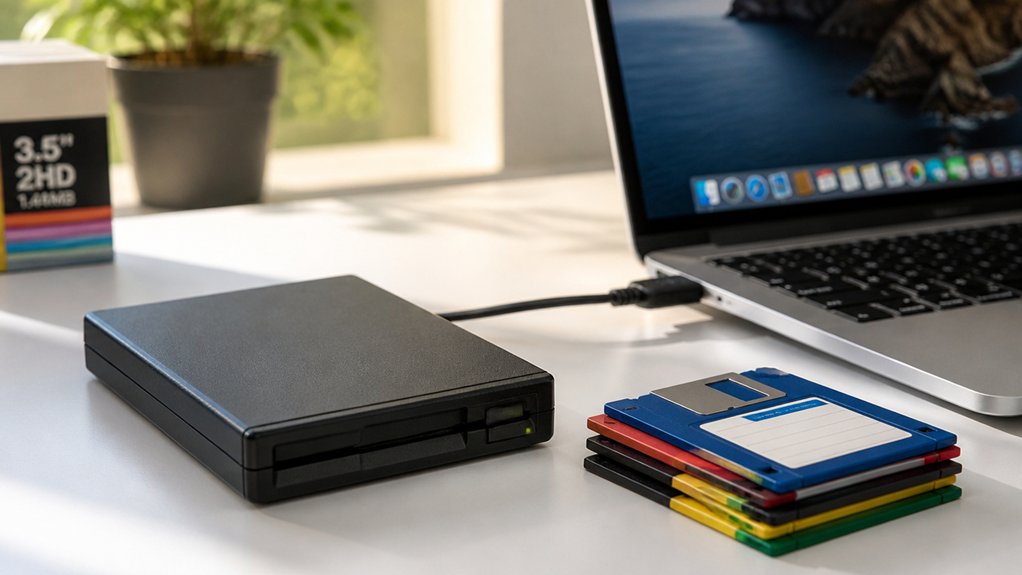
If you’ve got old floppy disks collecting dust, you need a reliable USB floppy drive to pull those files off before they’re gone for good. Not all drives handle every disk format, and some won’t work on your operating system without extra steps. Picking the wrong one wastes time and risks your data. This guide breaks down 15 options so you can match the right drive to your exact setup.
| YEY USB Floppy Disk Reader 3.5-Inch 1.44MB for Windows PCs |

| Budget-Friendly Pick | Drive Type: Standard USB external floppy drive | Compatibility: Windows 11/10/8/7/XP; no Mac | USB Interface: USB-A only (USB 2.0) | VIEW LATEST PRICE | Read Our Analysis |
| USB Floppy Disk Drive for PC and Laptop |
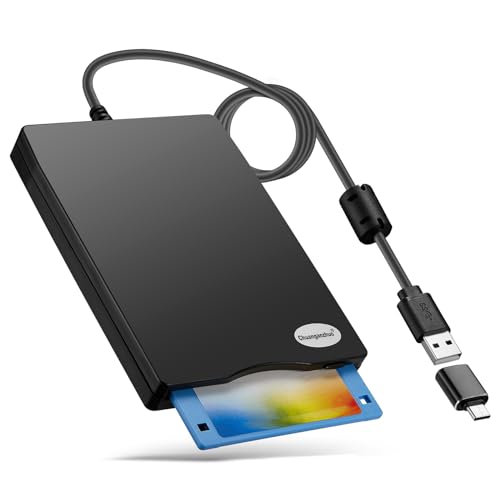
| Best Overall | Drive Type: Standard USB external floppy drive | Compatibility: Windows 11/10/8/7/XP/2000; no Mac, no Chrome | USB Interface: USB-A and USB-C (USB 2.0) | VIEW LATEST PRICE | Read Our Analysis |
| 3.5-inch Floppy Disk Drive Portable USB Floppy Disk Drive |

| Most Versatile | Drive Type: Standard USB external floppy drive | Compatibility: Windows ME/2000/XP/Vista/7/8/8.1/10/11, Mac, Linux | USB Interface: USB-A and USB-C (USB 2.0/3.0) | VIEW LATEST PRICE | Read Our Analysis |
| Portable USB Floppy Disk Drive for PC Laptop |

| Best Portability | Drive Type: Standard USB external floppy drive | Compatibility: Windows 11/10/8/7/XP; no Mac, no Chrome | USB Interface: USB-A and USB-C (USB 2.0) | VIEW LATEST PRICE | Read Our Analysis |
| Floppy Disk Reader USB External 3.5 Inch Drive |

| Most Popular | Drive Type: Standard USB external floppy drive | Compatibility: Windows 11/10/8/7/XP/2000; no Mac | USB Interface: USB-A and USB-C (USB 2.0) | VIEW LATEST PRICE | Read Our Analysis |
| USB Floppy Disk Drive External 3.5 Inch |

| Best Design | Drive Type: Standard USB external floppy drive | Compatibility: Windows 11/10/8.1/7/Vista/XP/2000; no Mac | USB Interface: USB-A and USB-C (USB 2.0) | VIEW LATEST PRICE | Read Our Analysis |
| GoTEK SFR1M44-U100 3.5 Inch 1.44MB USB SSD Floppy Drive Emulator Grey |

| Best For Industrial Use | Drive Type: Floppy drive emulator (USB flash drive as medium) | Compatibility: Machines using 1.44MB floppy/34-pin interface (CNC, musical instruments, etc.) | USB Interface: USB 1.1 (flash drive slot on emulator) | VIEW LATEST PRICE | Read Our Analysis |
| USB Floppy Disk Drive Emulator N-Drive Industrial |

| Professional Grade | Drive Type: Industrial floppy drive emulator (USB flash drive as medium) | Compatibility: Legacy industrial machinery (drop-in replacement) | USB Interface: USB 1.1 | VIEW LATEST PRICE | Read Our Analysis |
| Floppy Disk Reader 3.5″ External USB Drive |

| Best Durability | Drive Type: Standard USB external floppy drive | Compatibility: Windows 11/10/8.1/7/XP/2000; no Mac | USB Interface: USB-A and USB-C (USB 2.0) | VIEW LATEST PRICE | Read Our Analysis |
| External USB Floppy Disk Drive with Carrying Case |

| Best Bundle | Drive Type: Standard USB external floppy drive | Compatibility: Windows 11/10/8/7/XP/2000 | USB Interface: USB 3.0 and USB-C | VIEW LATEST PRICE | Read Our Analysis |
| Flylin Floppy Disk Reader 3.5 inch USB External Floppy Drive 1.44 MB FDD |

| Best For Beginners | Drive Type: Standard USB external floppy drive | Compatibility: Windows 11/10/8.1/7/Vista/XP/2000; no Mac, no Chrome | USB Interface: USB-A (USB 1.1/2.0) | VIEW LATEST PRICE | Read Our Analysis |
| KOOBOOK 1.44MB 3.5″ USB Floppy Drive Connector 34P Adapter with Power Cable |

| Best Adapter | Drive Type: USB-to-34P floppy adapter cable | Compatibility: Windows XP/ME/7/10, Mac | USB Interface: USB-A (Type A, ~50cm cable) | VIEW LATEST PRICE | Read Our Analysis |
| wintale External Floppy Disk Drive 3.5 Floppy Disk Reader |

| Widest Compatibility | Drive Type: Standard USB external floppy drive | Compatibility: Windows 2000/XP/Vista/7/8/10/11; no Mac noted | USB Interface: USB-A and USB-C (USB 1.1) | VIEW LATEST PRICE | Read Our Analysis |
| External Floppy Disk Drive USB 2.0/USB-C 3.5″ for PC Mac Laptop Windows |

| Best For Mac | Drive Type: Standard USB external floppy drive | Compatibility: Windows 11/10/8/7 and Mac | USB Interface: USB-A and USB-C (USB 2.0) | VIEW LATEST PRICE | Read Our Analysis |
| USB to 34-Pin Floppy Drive Connector Adapter |
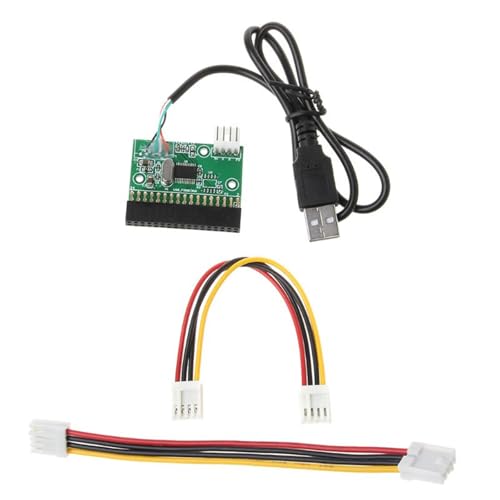
| Best DIY Pick | Drive Type: USB-to-34P floppy adapter cable | Compatibility: Multiple platforms (data recovery use) | USB Interface: USB-A (~20cm cable) | VIEW LATEST PRICE | Read Our Analysis |
More Details on Our Top Picks
YEY USB Floppy Disk Reader 3.5-Inch 1.44MB for Windows PCs
The YEY USB Floppy Disk Reader is a budget-friendly pick for Windows users who need basic floppy disk access. Plug it into any USB-A port on your Windows 7, 10, or 11 PC, and it’ll work without installing drivers. It reads and writes 3.5-inch, 1.44MB floppy disks only, so check your disks before buying. It won’t support 720KB, 1.2MB, or 5.25-inch formats. Transfer speed is 0.15 MB/s, which is slow but functional. Keep in mind that older or damaged disks may not read correctly. It draws power directly from your USB port, so no adapter is needed.
- Drive Type:Standard USB external floppy drive
- Compatibility:Windows 11/10/8/7/XP; no Mac
- USB Interface:USB-A only (USB 2.0)
- Disk Capacity:1.44 MB only (no 720KB, 1.2MB, 5.25-inch support)
- Plug & Play:Yes; no driver required
- Warranty:1 year
- Additional Feature:Fixed built-in USB-A cable
- Additional Feature:ABS enclosure, black
- Additional Feature:0.26 kg lightweight build
USB Floppy Disk Drive for PC and Laptop
Recovering old floppy files? The Chuanganzhuo USB Floppy Disk Drive (Model CAZED-006) connects via USB Type-A or USB-C and works with Windows 7 through 11. Plug it in, insert your disk, and Windows auto-detects it as drive A:. Open File Explorer, then cut, copy, or paste your files. Connect directly to your PC’s USB port, not a hub, to avoid read errors. Note that disks from the 1980s–1990s may be corrupted, moldy, or unreadable. Check each disk’s condition first. The drive weighs 0.52 lb and includes a 24-month replacement warranty with US-based support.
- Drive Type:Standard USB external floppy drive
- Compatibility:Windows 11/10/8/7/XP/2000; no Mac, no Chrome
- USB Interface:USB-A and USB-C (USB 2.0)
- Disk Capacity:1.44 MB only
- Plug & Play:Yes; no driver required
- Warranty:24 months
- Additional Feature:USB-A/C dual interface
- Additional Feature:Frosted texture enclosure
- Additional Feature:24-month replacement promise
3.5-inch Floppy Disk Drive Portable USB Floppy Disk Drive
Whether you’re recovering old documents or accessing industrial equipment, this most versatile USB floppy drive handles both tasks well. Plug it into your computer’s native USB-A or USB-C port, and Windows, Mac, or Linux recognizes it automatically. Open This PC, locate Drive A, then copy, paste, or cut your files. It supports 1.44 MB high-density disks only, so leave 720 KB disks aside. Avoid USB hubs and docking stations, as they cause power and read issues. The drive works with CNC machines, embroidery equipment, and vintage computers. It includes a carrying pouch and a 180-day warranty.
- Drive Type:Standard USB external floppy drive
- Compatibility:Windows ME/2000/XP/Vista/7/8/8.1/10/11, Mac, Linux
- USB Interface:USB-A and USB-C (USB 2.0/3.0)
- Disk Capacity:1.44 MB only (no 720KB support)
- Plug & Play:Yes; no driver required
- Warranty:180 days
- Additional Feature:Mac & Linux compatible
- Additional Feature:Includes carrying pouch
- Additional Feature:CNC/industrial machine support
Portable USB Floppy Disk Drive for PC Laptop
Designed for portability, RAAYOO’s USB floppy drive fits easily into any bag at just 0.52 lb and 0.63 inches thick. Plug it into a USB 2.0 or Type-C port on your Windows 7, 8, 10, or 11 PC, and it works immediately without drivers. Use it to read or write 3.5-inch, 1.44 MB diskettes containing old photos, documents, music, or recipes. Note that it doesn’t support Mac or Chrome OS. RAAYOO backs this drive with a 24-month replacement promise and responds to support requests within 12 hours. Amazon’s 30-day return policy also applies.
- Drive Type:Standard USB external floppy drive
- Compatibility:Windows 11/10/8/7/XP; no Mac, no Chrome
- USB Interface:USB-A and USB-C (USB 2.0)
- Disk Capacity:1.44 MB only
- Plug & Play:Yes; no driver required
- Warranty:24 months
- Additional Feature:Shockproof, anti-interference build
- Additional Feature:Ultra-slim 0.63-inch profile
- Additional Feature:24-month replacement promise
Floppy Disk Reader USB External 3.5 Inch Drive
The most popular pick for floppy disk recovery, the Floppy Disk Reader USB External 3.5 Inch Drive works best if you’re using a Windows-based desktop or laptop and need a no-fuss way to access old 3.5″ floppy disks. Plug it into a USB Type-A or Type-C port, and Windows automatically detects it as Drive A—no drivers needed. From there, use File Explorer to cut, copy, or paste files off your disks. It reads and writes 1.44 MB disks at roughly 0.5 MB/s, weighs 0.52 lb, and includes a 24-month replacement warranty. Note that it doesn’t support Mac.
- Drive Type:Standard USB external floppy drive
- Compatibility:Windows 11/10/8/7/XP/2000; no Mac
- USB Interface:USB-A and USB-C (USB 2.0)
- Disk Capacity:1.44 MB only
- Plug & Play:Yes; no driver required
- Warranty:24 months
- Additional Feature:Dust-resistant materials
- Additional Feature:300 rpm rotational speed
- Additional Feature:Ultra-slim 0.63-inch profile
USB Floppy Disk Drive External 3.5 Inch
Recovering old files calls for a well-designed, ultra-slim drive that gets the job done. The RAAYOO USB Floppy Disk Drive measures just 0.67 inches thick and weighs 0.61 lb, making it easy to carry. Connect it via USB 2.0, and Windows 11/10/8.1/7 detects it automatically without extra drivers. If the drive icon doesn’t appear, open File Explorer or Devices and Printers and look for the Floppy Disk Drive (A:). Note that this drive doesn’t support Mac. Disks from the 1980s or 1990s may be dusty, mouldy, or corrupted, so check each disk’s condition before inserting it.
- Drive Type:Standard USB external floppy drive
- Compatibility:Windows 11/10/8.1/7/Vista/XP/2000; no Mac
- USB Interface:USB-A and USB-C (USB 2.0)
- Disk Capacity:1.44 MB only
- Plug & Play:Yes; no driver required
- Warranty:24 months
- Additional Feature:Brushed panel texture
- Additional Feature:300 rpm rotational speed
- Additional Feature:1 megabit/sec transfer
GoTEK SFR1M44-U100 3.5 Inch 1.44MB USB SSD Floppy Drive Emulator Grey
For industrial use in textiles, electronics, and machinery, the GoTEK SFR1M44-U100 fits right in. It connects through a 34-pin floppy interface and runs on 5V DC power. Before use, format your USB drive to 1.44M FAT12 so the device recognizes it. The 8-segment display and left and right buttons let you switch between up to 1,000 partitions. Don’t reverse the cable during installation. If you’re running an Amiga, switch the firmware to FlashFloppy. The AT32F415 Cortex-M4 chip handles data at 500 kbps, keeping transfers reliable across compatible machines like YAMAHA, KORG, and STOLL knitting equipment.
- Drive Type:Floppy drive emulator (USB flash drive as medium)
- Compatibility:Machines using 1.44MB floppy/34-pin interface (CNC, musical instruments, etc.)
- USB Interface:USB 1.1 (flash drive slot on emulator)
- Disk Capacity:1.44 MB (FAT12 formatted USB flash drive)
- Plug & Play:Yes; built-in self-format function; firmware swap needed for AMIGA
- Warranty:Amazon standard (30-day return for DOA/damaged)
- Additional Feature:1000 USB partitions supported
- Additional Feature:AT32F415 Cortex-M4 chip
- Additional Feature:34-pin floppy interface
USB Floppy Disk Drive Emulator N-Drive Industrial
Outdated floppy drives on industrial machinery it’s a professional-grade problem that costs you time and money. The N-Drive Industrial replaces your aging mechanical floppy drive with a solid stainless steel unit that has no moving parts. You install it as a direct drop-in replacement, matching the original mounting points and connectors without extra drivers or modifications. Once installed, you use a standard USB flash drive to store and transfer machine files, eliminating fragile disks. If your machine has a thinner bay, choose the N-Drive Slim Industrial instead. It’s pre-configured for specific machinery, including Charmilles Robofil models, keeping production running reliably.
- Drive Type:Industrial floppy drive emulator (USB flash drive as medium)
- Compatibility:Legacy industrial machinery (drop-in replacement)
- USB Interface:USB 1.1
- Disk Capacity:1.44 MB (via USB flash drive)
- Plug & Play:Yes; no extra drivers or modifications required
- Warranty:Amazon standard return policy
- Additional Feature:Stainless steel front panel
- Additional Feature:No moving parts
- Additional Feature:Direct drop-in replacement
Floppy Disk Reader 3.5″ External USB Drive
The CIpotZIZ Floppy Disk Reader’s frosted plastic build and brushed texture finish give it durability that holds up through regular use. At 0.52 lb and 0.63 inches thick, it’s easy to pack and carry. Plug it into a USB-A or USB-C port on any Windows 7 through 11 desktop or laptop, and it works immediately without drivers. It reads and writes 3.5-inch, 1.44 MB floppy disks, letting you recover photos, documents, and other saved files. Transfer speeds reach 300 Mbps. Note that it doesn’t support Mac. A two-year manufacturer warranty covers the drive.
- Drive Type:Standard USB external floppy drive
- Compatibility:Windows 11/10/8.1/7/XP/2000; no Mac
- USB Interface:USB-A and USB-C (USB 2.0)
- Disk Capacity:1.44 MB only
- Plug & Play:Yes; no driver required
- Warranty:2 years
- Additional Feature:Frosted/brushed texture finish
- Additional Feature:Pre-shipment tested units
- Additional Feature:0.31 kg item weight
External USB Floppy Disk Drive with Carrying Case
Recovering old files comes with this bundle — drive plus carrying case — making it a solid pick for anyone digging through decades-old floppy disks. Plug it into any USB port on your Windows PC or laptop, and it works immediately without drivers or software. It supports Windows 11 down to Windows 2000, so older machines aren’t a problem. Before inserting any disk, inspect it for mold, dust, or physical damage — worn disks can stall the drive mid-read. Transfer speeds reach roughly 10 MB/s, and the 1-year warranty covers defects. Amazon handles returns within 30 days for dead-on-arrival or damaged unopened units.
- Drive Type:Standard USB external floppy drive
- Compatibility:Windows 11/10/8/7/XP/2000
- USB Interface:USB 3.0 and USB-C
- Disk Capacity:1.44 MB only
- Plug & Play:Yes; no driver required
- Warranty:1 year
- Additional Feature:Includes carrying case
- Additional Feature:USB 3.0 speed
- Additional Feature:~10 MB/s read speed
Flylin Floppy Disk Reader 3.5 inch USB External Floppy Drive 1.44 MB FDD
If you’re new to file recovery, the Flylin Floppy Disk Reader makes it easy to get started without installing drivers or configuring settings. Plug it into your PC’s back USB port for the most reliable power connection, then insert your 3.5-inch disk. Windows automatically detects the drive and assigns it as Drive A under Devices and Drives in File Explorer. From there, copy your files directly to your computer. It supports Windows 11 through 2000 but doesn’t work with Mac or Chrome OS. The drive reads 1.44 MB disks and works for recovering photos, documents, and other saved personal files.
- Drive Type:Standard USB external floppy drive
- Compatibility:Windows 11/10/8.1/7/Vista/XP/2000; no Mac, no Chrome
- USB Interface:USB-A (USB 1.1/2.0)
- Disk Capacity:1.44 MB only
- Plug & Play:Yes; no driver required
- Warranty:1 year
- Additional Feature:Back USB port recommended
- Additional Feature:Shockproof, low-noise design
- Additional Feature:0.03 MB/s read speed
KOOBOOK 1.44MB 3.5″ USB Floppy Drive Connector 34P Adapter with Power Cable
For recovering floppy data, KOOBOOK’s KB486 stands out as the top adapter for the job. It converts your USB port into a 34-pin floppy drive interface, letting you connect a 1.44MB simulated floppy drive to modern systems. Plug it into a Windows XP, 7, 10, or Mac machine, and it works immediately without driver installation. Note that it only supports 1.44MB drives, so don’t use it with 720KB or 1.2MB drives. The 50 cm USB cable gives you reasonable reach, and the included power cable keeps your connected drive running without requiring a separate power source.
- Drive Type:USB-to-34P floppy adapter cable
- Compatibility:Windows XP/ME/7/10, Mac
- USB Interface:USB-A (Type A, ~50cm cable)
- Disk Capacity:1.44 MB only (no 720KB or 1.2MB support)
- Plug & Play:Yes; plug-and-play
- Warranty:Per manufacturer link
- Additional Feature:34-pin floppy connector
- Additional Feature:~50 cm USB cable
- Additional Feature:Mac compatible adapter
wintale External Floppy Disk Drive 3.5 Floppy Disk Reader
The wintale’s widest compatibility makes it a smart pick for anyone juggling multiple older machines. It supports Windows 2000 through 11 and works with brands like Dell, Acer, Sony, and HP. You get two connection options: USB-A and USB-C. Plug it directly into your computer’s USB port, not a hub, to avoid speed or recognition issues. No software installation is required; drivers install automatically. The drive reads 1.44 MB floppy disks at 0.5 MB/s. It weighs 0.74 lb, so traveling with it is practical. A one-year warranty and 30-day Amazon return window cover defective or damaged units.
- Drive Type:Standard USB external floppy drive
- Compatibility:Windows 2000/XP/Vista/7/8/10/11; no Mac noted
- USB Interface:USB-A and USB-C (USB 1.1)
- Disk Capacity:1.44 MB only
- Plug & Play:Yes; no driver required
- Warranty:1 year
- Additional Feature:1.44 Gbps transfer rate
- Additional Feature:0.74 lb portable build
- Additional Feature:Multi-brand PC support
External Floppy Disk Drive USB 2.0/USB-C 3.5″ for PC Mac Laptop Windows
Owners of a Mac who need to recover files from floppy disks will find this drive works seamlessly with their system. It supports Windows 11/10/8/7 and Mac, so you don’t need to install drivers—just plug it in and start transferring files. The dual USB-A and USB-C interface means you can connect it to older and newer machines. If you encounter disk errors on Mac, use Disk Utility’s First Aid tool to diagnose and repair the disk. The non-slip rubber base keeps the drive steady during use, and the built-in interference shield ensures stable, reliable data transfers every time.
- Drive Type:Standard USB external floppy drive
- Compatibility:Windows 11/10/8/7 and Mac
- USB Interface:USB-A and USB-C (USB 2.0)
- Disk Capacity:1.44 MB only
- Plug & Play:Yes; no driver required
- Warranty:1 year
- Additional Feature:Mac compatible with troubleshooting
- Additional Feature:Non-slip mute pad
- Additional Feature:Built-in interference shield
USB to 34-Pin Floppy Drive Connector Adapter
Hands-on DIY enthusiasts find this their go-to pick for breathing new life into old floppy drives. The CHENZILIN adapter connects your existing 3.5-inch floppy drive to a modern computer through USB, so you don’t need to buy a fully enclosed external unit. Plug the 34-pin connector into your drive, attach the USB cable to your computer, and connect the included power cable. The PCB board measures 3.6 × 4.4 cm and the USB cable runs 20 cm. It works across multiple operating systems and suits data recovery, archived file access, and IT troubleshooting. Current buyers rate it 5 out of 5 stars.
- Drive Type:USB-to-34P floppy adapter cable
- Compatibility:Multiple platforms (data recovery use)
- USB Interface:USB-A (~20cm cable)
- Disk Capacity:1.44 MB only
- Plug & Play:Yes; plug-and-play
- Warranty:Per manufacturer link
- Additional Feature:PCB board construction
- Additional Feature:~20 cm USB cable
- Additional Feature:3.6 × 4.4 cm compact size
Factors to Consider When Choosing a USB Floppy Drive
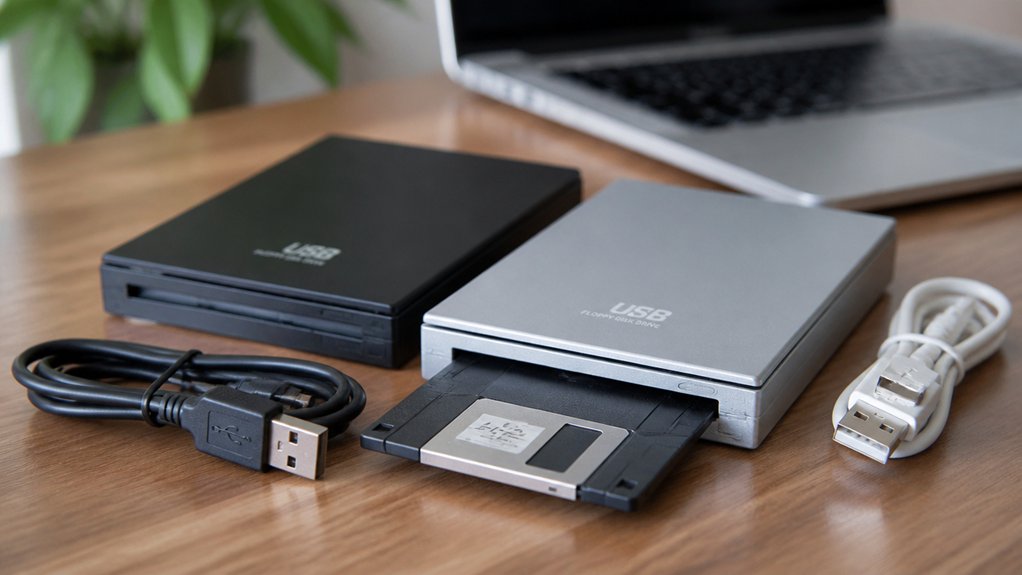
Before you buy a USB floppy drive, you’ll want to check a few key factors to make sure it fits your setup and recovery needs. First, confirm that the drive supports your USB type, whether that’s USB-A or USB-C, and check its read and write speeds to avoid slow transfers during recovery. You’ll also want to verify that the drive works with your operating system, supports the floppy formats you need, such as 1.44MB or 720KB, and comes with a reliable warranty to protect your purchase.
USB Compatibility Types
When choosing a USB floppy drive for file recovery, you’ll want to confirm which USB types your computer supports before buying. USB floppy drives typically come in four interface types: USB 1.1, USB 2.0, USB 3.0, and USB-C. USB 2.0 is the most common and transfers data at up to 12 MB/s, which is more than sufficient for 1.44 MB floppy disks. If your laptop only has USB-C ports, look for a dual-interface drive that includes both USB-A and USB-C connectors. Always plug the drive directly into your computer’s port rather than a hub, since hubs can reduce power delivery and cause read errors. Confirm the drive works with your operating system, as many models officially support Windows only.
Read and Write Speed
How fast a USB floppy drive reads and writes matters less than you might expect, because the floppy disk itself is the real bottleneck. A standard 1.44 MB floppy holds very little data, so even a slower drive will finish reading it in under a minute. Most USB floppy drives deliver read speeds between 0.25 and 0.5 MB/s, which is sufficient for recovery tasks.
What actually slows you down is disk condition. A disk that’s 30 or 40 years old, dusty, or mouldy will transfer data far slower than the drive’s rated speed. Focus on disk health before worrying about specs. Choose a drive with stable USB power delivery, since inconsistent power causes read errors that waste more time than slow transfer speeds ever will.
Operating System Support
Whether your computer runs Windows, macOS, or Linux determines which USB floppy drives will truly work for you. Most USB floppy drives support Windows 11, 10, 8, 7, XP, and 2000 without requiring extra drivers. If you’re on Windows, you’ll have the widest selection and the fewest compatibility issues.
If you use macOS or Linux, check the product specs carefully. Many manufacturers explicitly state these systems aren’t supported, and some require additional drivers or adapters to function. Don’t assume plug-and-play compatibility applies across all operating systems.
If you’re on a newer machine without USB-A ports, look for drives that include a USB-C interface or come with a USB-C adapter. This saves you from buying a separate adapter and avoids potential power or connectivity issues.
Drive Format Support
Once you’ve confirmed OS compatibility, check which disk formats the drive truly supports. Most USB floppy drives handle 3.5-inch 1.44 MB high-density disks, but many won’t read 720 KB, 1.2 MB, or 5.25-inch formats. If your old disks use any of those formats, confirm support before buying.
Also check that the drive reads FAT12, since some emulator-style devices require that specific file system to function. If your disks are older, factor in that dust, mould, or age-related wear can reduce read reliability regardless of format support.
If you’re recovering files from multiple disk types, look for a drive that explicitly lists each supported format in its specs. Don’t assume a drive handles all formats just because it reads 1.44 MB disks.
Warranty and Reliability
Warranty terms vary more than you’d expect, so check them before you buy. Some brands, like RAAYOO, offer a 24-month replacement warranty with support responses within hours. Others follow Amazon’s standard policy, covering dead-on-arrival or damaged units within 30 days only. Know which applies before purchasing.
Reliability depends heavily on two things: the drive and your disks. Older disks from the 1980s or 1990s may be mouldy, dusty, or corrupted, which causes read failures regardless of drive quality. The drive itself isn’t always the problem.
To reduce read errors, plug the drive directly into your computer’s USB port, not a hub, since hubs can underdeliver power. If you need heavy daily use, consider industrial options like N-Drive or Nalbantov, which are built for long-term stability.
Final Thoughts
You’ve got the information you need to pick the right USB floppy drive for your situation. Match the drive to your disk format, confirm compatibility with your operating system, and connect it directly to your computer’s USB port. If you need dual USB-A and USB-C support, prioritize that feature. Check the warranty period and read user reviews before buying. With the right drive, you’ll recover your old files quickly and reliably.