15 Best SSDs With DRAM Cache That Speed Freaks Swear By
By George 16 min read
Disclosure: This post may contain affiliate links. If you buy through them, we may earn a commission at no extra cost to you.
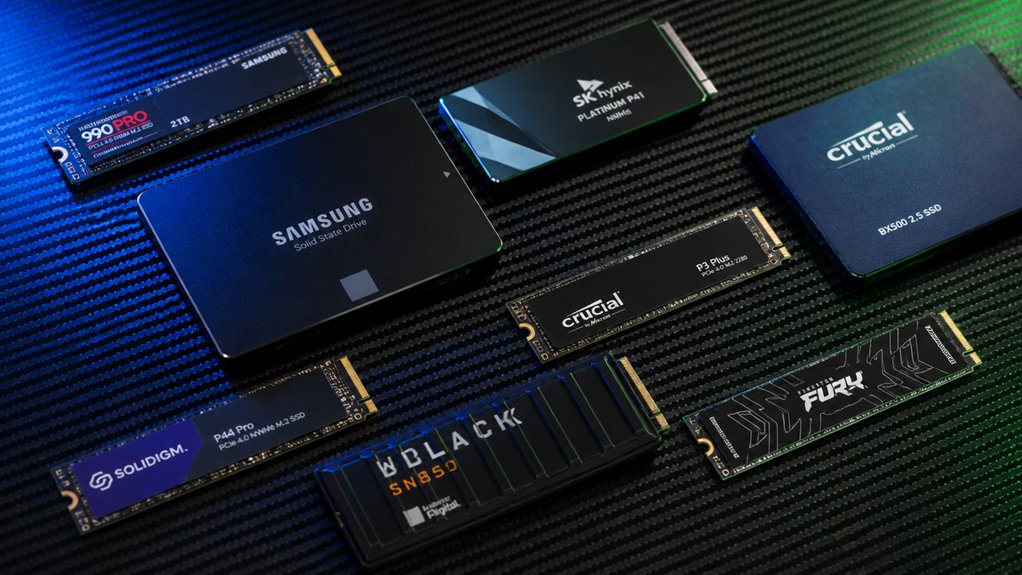
If your SSD can’t keep up with your workload, you’re losing time and performance on every task. A DRAM cache changes that by giving your drive faster access to frequently used data. Not every SSD includes one, so picking the right model matters. This guide breaks down 15 options across Gen4 and Gen5 NVMe formats, each selected for real-world speed, endurance, and reliability — starting with specs that actually tell you something useful.
| Lexar 1TB NM790 Internal NVMe SSD 7400/6500 MB/s M.2 2280 PCIe Gen 4×4 |

| Best Overall | Read/Write Speed: 7,400 / 6,500 MB/s | Interface: PCIe Gen 4×4 NVMe | Form Factor: M.2 2280 | VIEW LATEST PRICE | Read Our Analysis |
| Lexar 1TB NM1090 PRO NVMe SSD 14,000/10,000 MB/s M.2 2280 PCIe Gen 5 |

| Best PCIe 5.0 | Read/Write Speed: 14,000 / 10,000 MB/s | Interface: PCIe Gen 5 NVMe | Form Factor: M.2 2280 | VIEW LATEST PRICE | Read Our Analysis |
| Inland 1TB Gaming NVMe SSD Internal Solid State Drive Optimized for PS5 |

| Best For PS5 | Read/Write Speed: 7,100 / 6,300 MB/s | Interface: PCIe Gen 4×4 NVMe | Form Factor: M.2 2280 | VIEW LATEST PRICE | Read Our Analysis |
| Transcend 512GB MTS830S M.2 SATA III 2280 SSD Dram Cache B+M Key |

| Best SATA M.2 | Read/Write Speed: 560 / 520 MB/s | Interface: SATA III (6 Gb/s) | Form Factor: M.2 2280 | VIEW LATEST PRICE | Read Our Analysis |
| Kingston NV3 1TB M.2 NVMe SSD (SNV3S/1000G) |

| Budget-Friendly Pick | Read/Write Speed: 6,000 / 4,000 MB/s | Interface: PCIe Gen 4×4 NVMe | Form Factor: M.2 2280 | VIEW LATEST PRICE | Read Our Analysis |
| Samsung SSD 990 PRO 2TB PCIe 4.0 M.2 2280 Up to 7,450 MB/s |

| Best For Gaming | Read/Write Speed: 7,450 / 6,900 MB/s | Interface: PCIe 4.0 NVMe | Form Factor: M.2 2280 | VIEW LATEST PRICE | Read Our Analysis |
| TEAMGROUP T-Force Vulcan Z 1TB SATA SSD |

| Most Affordable | Read/Write Speed: 550 / 500 MB/s | Interface: SATA III (6 Gb/s) | Form Factor: 2.5-inch | VIEW LATEST PRICE | Read Our Analysis |
| Samsung SSD 9100 PRO 1TB PCIe 5.0×4 M.2 2280 Up to 14,700MB/s |

| Fastest Overall | Read/Write Speed: 14,700 / 13,300 MB/s | Interface: PCIe 5.0×4 NVMe | Form Factor: M.2 2280 | VIEW LATEST PRICE | Read Our Analysis |
| Samsung SSD 870 EVO SATA III 2.5” 1TB Read Speeds Up to 560MB/s |
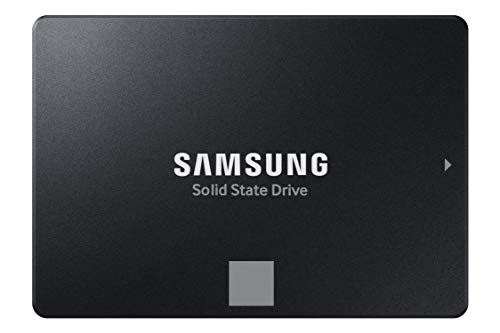
| Most Reliable | Read/Write Speed: 560 / 530 MB/s | Interface: SATA III | Form Factor: 2.5-inch | VIEW LATEST PRICE | Read Our Analysis |
| Transcend 128GB SSD230S 2.5″ SATA III SSD Up to 560MB/s DRAM Cache |

| Best Entry-Level | Read/Write Speed: 560 / 520 MB/s | Interface: SATA III (6 Gb/s) | Form Factor: 2.5-inch | VIEW LATEST PRICE | Read Our Analysis |
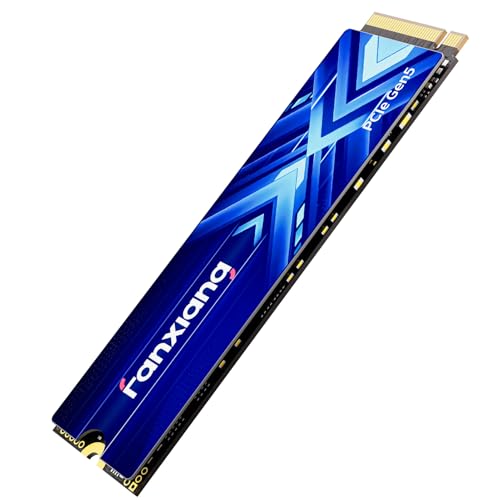
| Fanxiang 1TB PCIe 5.0 NVMe M.2 SSD |
| Best Value Gen5 | Read/Write Speed: 14,000 / 10,000 MB/s | Interface: PCIe Gen 5 NVMe | Form Factor: M.2 | VIEW LATEST PRICE | Read Our Analysis |
| Transcend 128GB MTS430S M.2 SATA III 2242 SSD Dram Cache B+M Key |

| Most Compact | Read/Write Speed: 560 / 350 MB/s | Interface: SATA III (6 Gb/s) | Form Factor: M.2 2242 | VIEW LATEST PRICE | Read Our Analysis |
| OWC Mercury Electra 6G 2TB 2.5-inch 7mm SATA 6.0Gb/s SSD |

| Best Large Capacity | Read/Write Speed: 500+ / unspecified MB/s | Interface: SATA III (6 Gb/s) | Form Factor: 2.5-inch | VIEW LATEST PRICE | Read Our Analysis |
| WD_Black SN7100 1TB NVMe Gen4 SSD |

| Best For Laptops | Read/Write Speed: 7,250 / 6,900 MB/s | Interface: PCIe Gen 4 NVMe | Form Factor: M.2 2280 | VIEW LATEST PRICE | Read Our Analysis |
| Ediloca 1TB PCIe Gen4 NVMe M.2 SSD (EN855) |

| Best With Heatsink | Read/Write Speed: 7,400 / 5,200 MB/s | Interface: PCIe Gen 4×4 NVMe | Form Factor: M.2 2280 | VIEW LATEST PRICE | Read Our Analysis |
More Details on Our Top Picks
Lexar 1TB NM790 Internal NVMe SSD 7400/6500 MB/s M.2 2280 PCIe Gen 4×4
The Lexar NM790 sits at the top of the pack for speed-focused users who want PCIe Gen 4 performance without a DRAM cache tax. It uses Host Memory Buffer 3.0 and Dynamic SLC Cache instead of dedicated DRAM, cutting power consumption by up to 40% compared to DRAM-enabled Gen 4 drives. You still get 7,400 MB/s read and 6,500 MB/s write speeds. It fits M.2 2280 slots in desktops, laptops, and PS5 consoles. The single-sided design helps with tight builds. A five-year limited warranty backs your purchase, making it a reliable, high-speed option for gaming and content creation.
- Read/Write Speed:7,400 / 6,500 MB/s
- Interface:PCIe Gen 4×4 NVMe
- Form Factor:M.2 2280
- Capacity:1 TB
- Warranty:5-year limited
- Cache Type:Dynamic SLC Cache + HMB 3.0 (no DRAM)
- Additional Feature:PS5 compatible
- Additional Feature:40% less power consumption
- Additional Feature:Single-sided design
Lexar 1TB NM1090 PRO NVMe SSD 14,000/10,000 MB/s M.2 2280 PCIe Gen 5
Want screaming-fast PCIe 5.0 speeds that rival top-tier NVMe drives? The Lexar 1TB NM1090 PRO delivers read speeds up to 14,000 MB/s and write speeds up to 10,000 MB/s. It fits the M.2 2280 form factor and works with desktops and PS5 consoles. The 6nm controller manages heat efficiently, while DRAM Cache and SLC Dynamic Cache reduce wait times during heavy transfers. It supports DirectStorage for gaming and accelerates AI workloads like model training and inferencing. You get a five-year limited warranty, dust resistance, and shock protection included.
- Read/Write Speed:14,000 / 10,000 MB/s
- Interface:PCIe Gen 5 NVMe
- Form Factor:M.2 2280
- Capacity:1 TB
- Warranty:5-year limited
- Cache Type:DRAM + Dynamic SLC Cache
- Additional Feature:6nm controller design
- Additional Feature:DirectStorage gaming support
- Additional Feature:AI workload optimized
Inland 1TB Gaming NVMe SSD Internal Solid State Drive Optimized for PS5
Upgrading your PS5’s storage, the Inland 1TB NVMe SSD delivers speeds your console’s expansion slot can handle. It reads at 7,100 MB/s and writes at 6,300 MB/s using a PCIe Gen4 x4 interface. The E18 controller pairs with DRAM cache to maintain consistent performance under heavy loads. Install it in the M.2 2280 slot inside your PS5, then format it through the console’s storage settings. It also works in PCs, Macs, and Linux systems. The 700 TBW endurance rating and 6-year warranty give you long-term reliability without worrying about premature drive failure.
- Read/Write Speed:7,100 / 6,300 MB/s
- Interface:PCIe Gen 4×4 NVMe
- Form Factor:M.2 2280
- Capacity:1 TB
- Warranty:6-year limited
- Cache Type:DRAM cache
- Additional Feature:176-layer 3D TLC NAND
- Additional Feature:1.6M hour MTBF
- Additional Feature:700 TBW endurance
Transcend 512GB MTS830S M.2 SATA III 2280 SSD Dram Cache B+M Key
For slim laptops needing a top-tier SATA M.2 upgrade, the Transcend MTS830S 512GB fits the bill. It uses the M.2 2280 form factor with a B+M key, connecting via SATA III at up to 560 MB/s read and 520 MB/s write. You get 512MB of DDR3 DRAM cache, which speeds up access to frequently used data. The drive uses 3D NAND flash for density and endurance, plus LDPC error correction to protect data integrity. Note that it’s not NVMe compatible. It carries a five-year warranty, making it a reliable SATA upgrade option.
- Read/Write Speed:560 / 520 MB/s
- Interface:SATA III (6 Gb/s)
- Form Factor:M.2 2280
- Capacity:512 GB
- Warranty:5-year limited
- Cache Type:DDR3 DRAM cache
- Additional Feature:DDR3 DRAM cache
- Additional Feature:LDPC error correction
- Additional Feature:Slim laptop optimized
Kingston NV3 1TB M.2 NVMe SSD (SNV3S/1000G)
Most budget-friendly picks compromise somewhere, but the Kingston NV3 1TB doesn’t ask you to settle. It runs on a PCIe 4.0 Gen 4×4 interface, delivering read speeds up to 6,000 MB/s and write speeds up to 4,000 MB/s. Install it in any M.2 2280 slot on your desktop or laptop, and it handles applications, games, photos, and videos without bottlenecking your workflow. Its single-sided design fits tight builds, and it weighs just 4.54 grams. You also get Acronis cloning software and a 5-year warranty, making it a straightforward, capable upgrade for everyday and performance-focused storage needs.
- Read/Write Speed:6,000 / 4,000 MB/s
- Interface:PCIe Gen 4×4 NVMe
- Form Factor:M.2 2280
- Capacity:1 TB
- Warranty:5-year limited
- Cache Type:HMB (no dedicated DRAM)
- Additional Feature:Acronis cloning software
- Additional Feature:Backward compatible NVMe
- Additional Feature:Low heat design
Samsung SSD 990 PRO 2TB PCIe 4.0 M.2 2280 Up to 7,450 MB/s
Samsung’s 990 PRO 2TB is what you need for gaming, video editing, and heavy workloads. It runs on PCIe 4.0 and delivers read speeds up to 7,450 MB/s and write speeds up to 6,900 MB/s. You get over 55% better random performance compared to the 980 PRO, plus 50% improved performance per watt. It fits the M.2 2280 form factor and works with Intel, AMD, and PS5 systems. Add a heatsink if you’re installing it in a console or enclosed space. The drive includes a 5-year warranty and supports capacities from 1TB to 4TB.
- Read/Write Speed:7,450 / 6,900 MB/s
- Interface:PCIe 4.0 NVMe
- Form Factor:M.2 2280
- Capacity:2 TB
- Warranty:5-year limited
- Cache Type:DRAM cache (Intelligent Turbo Write)
- Additional Feature:55% random performance boost
- Additional Feature:PS5 verified compatible
- Additional Feature:50% improved performance/watt
TEAMGROUP T-Force Vulcan Z 1TB SATA SSD
Budget-conscious builders will find the most affordable pick here with the TEAMGROUP T-Force Vulcan Z 1TB SATA SSD. This drive uses 3D NAND TLC technology with SLC caching to deliver read speeds up to 550 MB/s and write speeds up to 500 MB/s. It fits standard 2.5-inch laptop and desktop bays with its 7mm slim design and connects via SATA III. Note that this drive uses SLC cache, not DRAM cache, so sustained write performance may drop under heavy loads. It suits everyday tasks, gaming, and file transfers, and it carries a 3-year limited warranty.
- Read/Write Speed:550 / 500 MB/s
- Interface:SATA III (6 Gb/s)
- Form Factor:2.5-inch
- Capacity:1 TB
- Warranty:3-year limited
- Cache Type:SLC cache
- Additional Feature:SLC cache stabilized speeds
- Additional Feature:Silent, no moving parts
- Additional Feature:2.5″ 7mm slim
Samsung SSD 9100 PRO 1TB PCIe 5.0×4 M.2 2280 Up to 14,700MB/s
If you need the fastest overall SSD money can buy, the Samsung 9100 PRO delivers. Sequential read and write speeds hit 14,700 and 13,300 MB/s respectively, roughly twice the speed of the 990 PRO. It uses a 5nm controller that cuts power consumption by up to 49%, so you get speed without excessive heat. Random IOPS reach 1,850K read and 2,600K write, which directly improves game load times and AI application responsiveness. It fits laptops, desktops, and PS5 with a heatsink. Samsung Magician handles firmware updates and health monitoring. A five-year warranty covers your purchase.
- Read/Write Speed:14,700 / 13,300 MB/s
- Interface:PCIe 5.0×4 NVMe
- Form Factor:M.2 2280
- Capacity:1 TB
- Warranty:5-year limited
- Cache Type:DRAM cache (1 GB)
- Additional Feature:5nm controller efficiency
- Additional Feature:1.85M read IOPS
- Additional Feature:Magician software included
Samsung SSD 870 EVO SATA III 2.5” 1TB Read Speeds Up to 560MB/s
For heavy workloads, the most reliable pick is the Samsung 870 EVO 1TB. It uses a 2.5-inch SATA III interface, so check that your desktop or laptop has a SATA slot before purchasing. Sequential read speeds reach 560 MB/s, and write speeds hit 530 MB/s. The drive uses MLC V-NAND with an enhanced variable buffer to maintain performance over time. It supports AES 256-bit encryption and TCG/Opal for data security. You get 600 TBW endurance and a 5-year warranty. Use Samsung Magician 6 to monitor health, run updates, and tune performance after installation.
- Read/Write Speed:560 / 530 MB/s
- Interface:SATA III
- Form Factor:2.5-inch
- Capacity:1 TB
- Warranty:5-year limited
- Cache Type:Enhanced variable buffer (DRAM)
- Additional Feature:AES 256-bit encryption
- Additional Feature:600 TBW endurance
- Additional Feature:NAS device compatible
Transcend 128GB SSD230S 2.5″ SATA III SSD Up to 560MB/s DRAM Cache
Transcend’s SSD230S sits at an entry-level price point, making it a solid starting choice if you’re upgrading from a traditional hard drive for the first time. It fits in any 2.5-inch bay, works in laptops and desktops, and even slots into a PlayStation 4. You get 560MB/s read and 520MB/s write speeds through a SATA III 6Gb/s interface. The DRAM cache keeps performance consistent during sustained transfers. LDPC error correction protects your data. At 128GB, storage is tight, so use it as a boot drive and keep a secondary drive for files.
- Read/Write Speed:560 / 520 MB/s
- Interface:SATA III (6 Gb/s)
- Form Factor:2.5-inch
- Capacity:128 GB
- Warranty:3-year limited
- Cache Type:DRAM cache
- Additional Feature:PS4 console compatible
- Additional Feature:LDPC error correction
- Additional Feature:7mm slim profile
Fanxiang 1TB PCIe 5.0 NVMe M.2 SSD
Want serious value from a Gen 5 drive without overpaying? The Fanxiang S910 1TB delivers sequential reads up to 14,000 MB/s and writes up to 10,000 MB/s, making it competitive with pricier options. It includes DRAM cache and SLC caching to maintain consistent speeds under heavy workloads. The 6nm controller and graphite copper foil help manage heat without requiring a bulky heatsink. You get AES-256 encryption, LDPC error correction, and 700 TBW endurance. It’s backward compatible with PCIe x4 systems, so older boards work fine. A 5-year warranty covers your purchase.
- Read/Write Speed:14,000 / 10,000 MB/s
- Interface:PCIe Gen 5 NVMe
- Form Factor:M.2
- Capacity:1 TB
- Warranty:5-year limited
- Cache Type:DRAM + SLC cache
- Additional Feature:AES-256 hardware encryption
- Additional Feature:Graphite copper foil cooling
- Additional Feature:700 TBW endurance
Transcend 128GB MTS430S M.2 SATA III 2242 SSD Dram Cache B+M Key
The most compact pick on this list, the Transcend MTS430S fits users upgrading space-constrained devices like mini-PCs, NUCs, or slim laptops. It uses a 2242 form factor, meaning it’s 42mm long, shorter than standard M.2 drives. Before buying, confirm your device has a SATA-based M.2 slot and supports the 2242 size. This drive won’t work in NVMe or PCIe slots. It delivers read speeds up to 560 MB/s and write speeds up to 350 MB/s. DDR3 DRAM cache and SLC caching improve performance, while 3D TLC NAND and LDPC error correction protect your data. It carries a 5-year warranty and 70TB TBW rating.
- Read/Write Speed:560 / 350 MB/s
- Interface:SATA III (6 Gb/s)
- Form Factor:M.2 2242
- Capacity:128 GB
- Warranty:5-year limited
- Cache Type:DDR3 DRAM + SLC cache
- Additional Feature:2242 form factor
- Additional Feature:DevSleep power mode
- Additional Feature:70 TBW endurance
OWC Mercury Electra 6G 2TB 2.5-inch 7mm SATA 6.0Gb/s SSD
If you need large-capacity, high-speed storage, OWC’s Mercury Electra 6G 2TB fits that role well. It uses 3D NAND with a DRAM cache to deliver read speeds over 500 MB/s through its SATA III 6.0 Gb/s interface. The 2.5-inch, 7mm form factor fits most laptops and desktop upgrade slots. Install it as an internal drive or place it in a compatible enclosure. Hardware ECC, TRIM support, and global wear leveling protect your data over time. No moving parts keep operation quiet and cool. OWC backs it with a 3-year limited warranty.
- Read/Write Speed:500+ / unspecified MB/s
- Interface:SATA III (6 Gb/s)
- Form Factor:2.5-inch
- Capacity:2 TB
- Warranty:3-year limited
- Cache Type:DRAM cache + SLC cache
- Additional Feature:Global wear leveling
- Additional Feature:Static data refresh
- Additional Feature:Hot-swappable capable
WD_Black SN7100 1TB NVMe Gen4 SSD
Designed for laptops and handheld gaming devices, the WD_BLACK SN7100 1TB NVMe Gen4 SSD delivers read speeds up to 7,250 MB/s and write speeds up to 6,900 MB/s. It uses Next Gen TLC 3D NAND and connects via PCIe Gen4, fitting the standard M.2 2280 slot. You can install it in desktops, laptops, or handheld gaming consoles. It’s more power-efficient than the previous generation, which helps extend battery life in portable devices. Use the WD_BLACK Dashboard on Windows to monitor and optimize performance. The drive carries a 3-year limited manufacturer warranty and the model number is WDS100T4X0E.
- Read/Write Speed:7,250 / 6,900 MB/s
- Interface:PCIe Gen 4 NVMe
- Form Factor:M.2 2280
- Capacity:1 TB
- Warranty:3-year limited
- Cache Type:DRAM cache (implied via Next Gen TLC)
- Additional Feature:Handheld gaming optimized
- Additional Feature:WD_BLACK Dashboard support
- Additional Feature:Next Gen TLC NAND
Ediloca 1TB PCIe Gen4 NVMe M.2 SSD (EN855)
Gamers who want an NVMe M.2 drive with a heatsink already attached won’t need to shop further — the Ediloca EN855 delivers that out of the box. The aluminum heatsink prevents thermal throttling during extended sessions, keeping read speeds at 7,400 MB/s and write speeds at 5,200 MB/s. You get up to 1GB DRAM cache and dynamic SLC caching to maintain consistent throughput. It fits PS5, desktops, and laptops using the standard M.2 2280 form factor. Installation hardware and a screwdriver are included. The 700 TBW rating and five-year warranty back its long-term reliability for demanding workloads.
- Read/Write Speed:7,400 / 5,200 MB/s
- Interface:PCIe Gen 4×4 NVMe
- Form Factor:M.2 2280
- Capacity:1 TB
- Warranty:5-year limited
- Cache Type:DRAM cache (up to 1 GB) + Dynamic SLC cache
- Additional Feature:Integrated aluminum heatsink
- Additional Feature:Includes installation toolkit
- Additional Feature:700 TBW endurance
Factors to Consider When Choosing an SSD With DRAM Cache
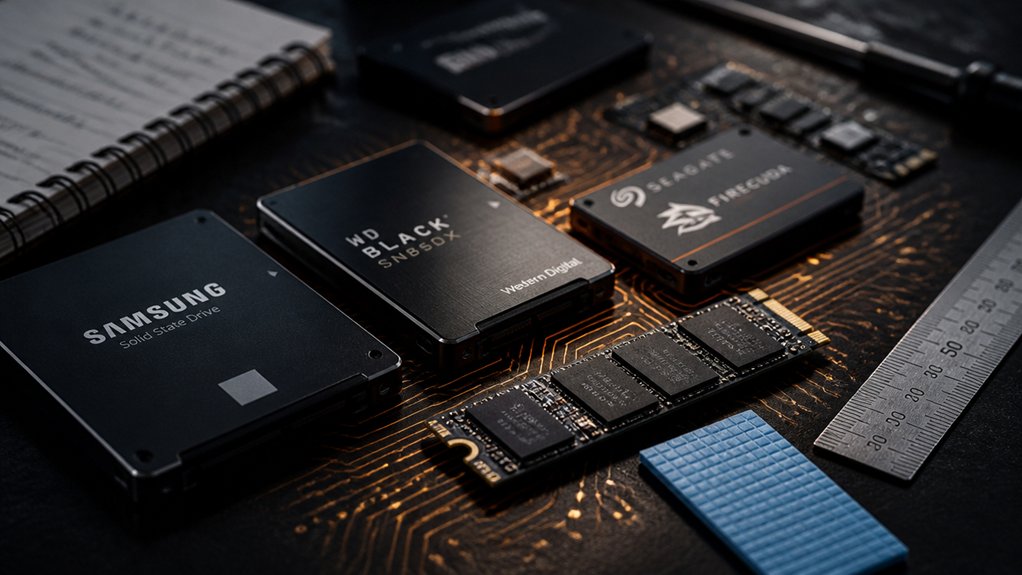
Choosing the right SSD with DRAM cache means looking at five key factors: cache type and size, read and write speeds, interface and compatibility, endurance and reliability, and form factor. You’ll want to match the SSD’s interface, whether PCIe Gen3, Gen4, or Gen5, to your motherboard’s supported slot, and confirm the form factor, M.2 2280 or 2.5-inch SATA, fits your system. Check the drive’s TBW (terabytes written) rating for endurance, compare sequential read and write speeds for your workload, and verify the DRAM cache size scales appropriately with the drive’s total storage capacity.
Cache Type and Size
How much DRAM cache an SSD carries directly affects how it handles demanding workloads like gaming, video editing, and large file transfers. Larger caches improve random I/O performance and keep speeds consistent during extended write sessions. For example, a 1TB drive with 1GB of DRAM handles random reads and writes more smoothly than a DRAM-less model of the same capacity.
You’ll also want to check whether the SSD combines DRAM with SLC dynamic caching. This pairing boosts throughput further and reduces write amplification, which extends drive lifespan. Match cache size to your drive capacity; higher-capacity drives typically need larger caches to maintain performance across varied workloads. If your tasks involve heavy random I/O, prioritize drives with confirmed DRAM cache over DRAM-less alternatives.
Read and Write Speeds
Once you’ve matched cache size to your workload, check the drive’s read and write speeds to confirm it can keep up with what you’re indeed doing. Gen5 drives reach up to 14,000 MB/s sequential reads and 10,000 MB/s sequential writes, while Gen4 drives typically cap at 7,450 MB/s reads and 6,900 MB/s writes. If you’re transferring large files regularly, prioritize Gen5. For lighter workloads, Gen4 is sufficient. Also confirm whether the drive combines DRAM with SLC dynamic caching, since that combination sustains peak speeds longer under heavy loads. Finally, check thermal specs. Without adequate cooling, drives throttle under sustained use, dropping well below rated speeds. Match the drive’s thermal requirements to your case airflow before buying.
Interface and Compatibility
Before buying an SSD with DRAM cache, verify that your motherboard supports the drive’s interface. Most high-performance DRAM-cache SSDs use NVMe over PCIe Gen4 or Gen5, so check your motherboard’s M.2 slot specifications before purchasing. If your board only supports PCIe Gen3, a Gen4 drive will still work but won’t reach its rated speeds.
Also confirm the physical form factor. Most desktop and laptop builds use M.2 2280, but some systems require 2.5-inch SATA drives, which offer lower bandwidth and fewer DRAM-cache options. If your system lacks an M.2 slot entirely, check whether it supports HMB-compatible drives as an alternative. Match the interface, slot type, and lane support to your specific system before finalizing your choice.
Endurance and Reliability
Endurance and reliability determine how long an SSD holds up under real workloads, so check these specs carefully before buying. Look for TBW ratings, which tell you how many terabytes you can write before the drive reaches its wear limit. A higher TBW means more long-term headroom, especially under heavy daily use. DRAM cache helps by reducing write amplification, spreading wear more evenly across the drive’s cells. Also check MTBF figures, which estimate how long the drive operates before failure. Beyond ratings, confirm the drive includes effective heat management, since overheating throttles the controller and degrades both performance and reliability over time. Over-provisioning, the reserved storage space that aids wear leveling, also interacts with caching to protect data integrity during sustained workloads.
Form Factor Options
Where you plan to install the SSD determines which form factor you need, so check your device’s available slots before buying. Most modern laptops and desktops use the M.2 2280 slot, which fits NVMe SSDs with DRAM cache and delivers the highest speeds available. If your system has a PCIe Gen4 or Gen5 slot, you can take full advantage of DRAM-cached NVMe drives, reaching sequential read speeds up to 14,000 MB/s on Gen5 models. If your device only has a 2.5-inch SATA bay, choose a SATA SSD with DRAM cache, but expect lower sequential speeds than NVMe options. Confirm your motherboard or laptop manual lists the correct slot type, then match your SSD’s interface and physical size to that specification before purchasing.
Warranty and Support
How long a manufacturer stands behind its product tells you a lot about the drive’s expected reliability. Most DRAM cache SSDs come with a 3- to 5-year warranty, with many consumer drives offering the full 5 years. Before you buy, check whether the coverage includes replacement, repair, or just a refund.
You’ll also want to review the return window. Many retailers offer a 30-day return for DOA or unopened drives, but terms vary by seller, especially on platforms like Amazon. Always keep your proof of purchase, since most warranty claims require it. Some manufacturers also provide extended support through direct customer service beyond the standard period. Check the drive’s condition requirements too, since physical damage typically voids your claim before it’s approved.
Final Thoughts
Picking the right SSD with DRAM cache comes down to matching your workload, budget, and interface to the right drive. If you need Gen5 speeds, go with the Lexar NM1090 PRO. For value, the NM790 or WD Black SN7100 cover most use cases. Check endurance ratings before you buy, confirm your motherboard slot, and prioritize DRAM-backed models for sustained performance. Use this list as your starting point, then narrow it down by capacity and price.