7 Best MoCA 2.5 Adapters That Make Coax Feel Like Fiber
By George 10 min read
Disclosure: This post may contain affiliate links. If you buy through them, we may earn a commission at no extra cost to you.
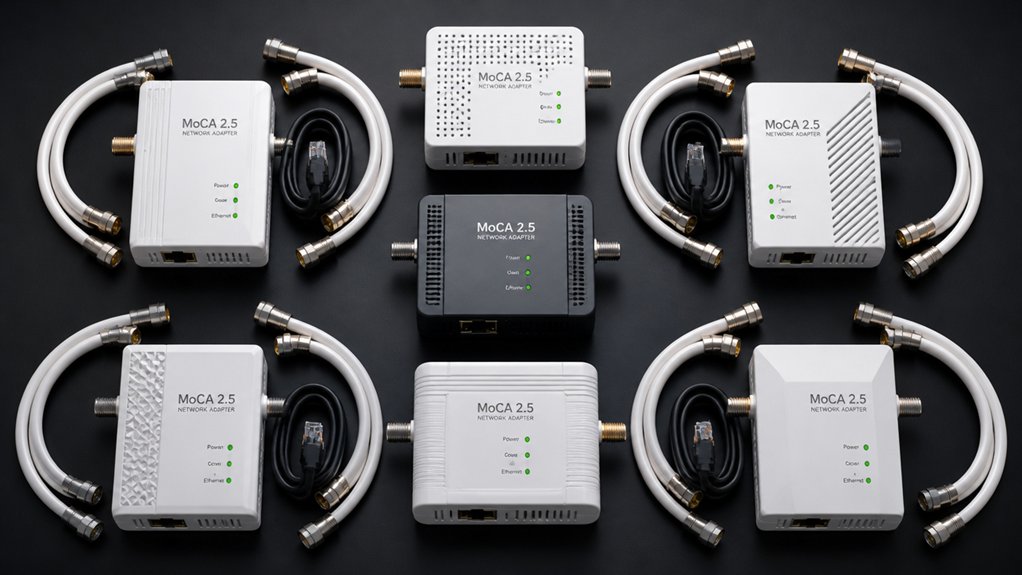
If your home network’s Wi-Fi dead zones are slowing you down, MoCA 2.5 adapters let you use your existing coaxial cable to deliver speeds up to 2.5 Gbps. You don’t need to run new wiring or replace your router. Instead, you plug adapters into coax outlets and connect devices directly. Each option below covers a different budget and feature set, so you’ll find exactly what fits your setup.


More Details on Our Top Picks
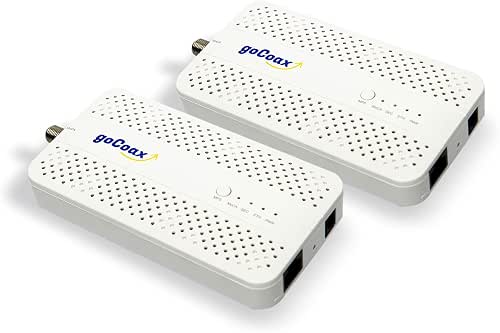
goCoax MoCA 2.5 Ethernet Over Coax Adapter (2-Pack)
If you want a top-performing, all-around MoCA adapter, the goCoax MA2500D leads the pack. It delivers 2.5 Gbps speeds through your existing coaxial wiring, so you don’t need to run new cables. The 2-pack includes coax cables, Ethernet cables, and power adapters, making setup straightforward. Plug one unit into your router and coax port, then connect the second unit in another room to your device. It supports up to 16 nodes, works with Comcast, Spectrum, Cox, and FiOS, and keeps latency under 3 ms. Note that it’s incompatible with DirecTV, DISH, and AT&T U-verse systems.
- Max Speed:2.5 Gbps
- Ethernet Port:2.5GbE RJ45
- Max Nodes:16
- Warranty:Amazon 30-day return; manufacturer warranty via product page
- Kit Contents:2 adapters, 2 coax cables, 2 Ethernet cables, 2 power adapters
- Notable Incompatibilities:Satellite TV (DirecTV, DISH), AT&T U-verse
- Additional Feature:Sub-3ms latency
- Additional Feature:Supports 16 nodes
- Additional Feature:PoE filter recommended
ScreenBeam ECB7250K02 Network Adapter Starter Kit Bonded MoCA 2.5 – Fastest
Demanding users who want the fastest speeds on a MoCA network should look at the ScreenBeam ECB7250K02. This starter kit includes two ECB7250 adapters, two power adapters, two Ethernet cables, two coax cables, and two coax splitters. It delivers speeds up to 2.5 Gbps over your existing coax wiring, making it ideal for 4K streaming, gaming, and working from home. You can connect up to 16 nodes on one network. Note that it’s not compatible with satellite TV services or AT&T networks, and some DOCSIS 3.1 modems may cause frequency conflicts, so check with your ISP first.
- Max Speed:2.5 Gbps
- Ethernet Port:2.5GbE RJ45
- Max Nodes:16
- Warranty:1-year parts and labor
- Kit Contents:2 adapters, 2 coax cables, 2 Ethernet cables, 2 power adapters, 2 coax splitters, quick start guide
- Notable Incompatibilities:DirecTV, DISH, AT&T internet, AT&T U-verse; some DOCSIS 3.1 modems
- Additional Feature:Includes 2 coax splitters
- Additional Feature:Bonded MoCA 2.5
- Additional Feature:FiOS router compatible
Hitron HTEM5 MoCA 2.5 Network Adapter (2-Pack)
The Hitron HTEM5 earns its top support role for households that need a complete, ready-to-run MoCA 2.5 kit without sourcing extra cables or accessories. The 2-pack includes two adapters, two coax cables, two ethernet cables, and two power adapters. Place one adapter near your router and one at your target device, then connect each unit to a coax outlet. Your coax outlets must share an interconnected network, not satellite wiring. This kit won’t work with AT&T Fiber or isolated coax runs. It supports speeds up to 2.5 Gbps, making it practical for 4K streaming and gaming.
- Max Speed:2.5 Gbps
- Ethernet Port:2.5GbE RJ45
- Max Nodes:Not specified
- Warranty:Amazon 30-day return; manufacturer warranty via product page
- Kit Contents:2 adapters, 2 coax cables, 2 Ethernet cables, 2 power adapters, quick start guide
- Notable Incompatibilities:Satellite wiring, AT&T Fiber, isolated coax runs, RJ11 phone lines
- Additional Feature:Free technical support
- Additional Feature:Coax compatibility verification
- Additional Feature:110g lightweight design
TRENDnet 2.5Gbps Ethernet Over Coax Adapter (2-Pack) TMO-313C2K
Government and institutional buyers needing NDAA & TAA compliance will find TRENDnet’s TMO-313C2K a natural fit. Each pack includes two MoCA 2.5 adapters, each with one F-Type coax input and one 2.5Gbps RJ45 port. Connect one adapter to your router and run a coax cable to the second adapter in another room. No configuration is required. The network supports up to 16 nodes, making it scalable for larger installations. Note that it’s incompatible with DirecTV, Dish Network, and AT&T U-Verse. A three-year warranty and backward compatibility with MoCA 1.0 through 2.0 add long-term reliability.
- Max Speed:2.5 Gbps
- Ethernet Port:2.5Gbps RJ45
- Max Nodes:16
- Warranty:3-year TRENDnet warranty
- Kit Contents:2 adapters only (no cables listed)
- Notable Incompatibilities:DirecTV, Dish Network, AT&T U-verse, non-MoCA services
- Additional Feature:NDAA & TAA compliant
- Additional Feature:Triple Play network support
- Additional Feature:3-year warranty
TRENDnet Ethernet Over Coax MoCA 2.5 Adapter TMO-312C
If you need a budget-friendly pick for government or institutional use, TRENDnet’s TMO-312C fits the bill. It’s NDAA and TAA compliant, so it meets federal procurement requirements without extra steps. Connect the coax input to your existing coaxial line, then plug your device into the RJ-45 Gigabit LAN port. No configuration is required. It supports up to 16 MoCA devices on one network and delivers up to 1 Gbps throughput. Note that it’s not compatible with DirecTV, Dish Network, or AT&T U-Verse. The adapter ships with a power adapter and quick installation guide, backed by a three-year warranty.
- Max Speed:1 Gbps
- Ethernet Port:Gigabit RJ45
- Max Nodes:16
- Warranty:3-year TRENDnet warranty
- Kit Contents:1 adapter, power adapter (12V/1A), quick installation guide
- Notable Incompatibilities:DirecTV, Dish Network, AT&T U-verse, non-MoCA services
- Additional Feature:Single-unit purchase
- Additional Feature:3-year warranty
- Additional Feature:English-speaking tech support
MoCA 2.5 Adapter Kit with 2.5G Ethernet (KB-M3-03)
Running PoE+ at 30W, the KB-M3-03 excels with PoE+ devices like Wi-Fi 6E/7 access points, 4K/8K IP cameras, and VoIP phones. This kit includes two adapters, two coax cables, two Ethernet cables, and two 48V power supplies. Connect each adapter to your existing coax wiring, plug in the Ethernet cable, and power it on. No complex configuration is required. You get 2.5 Gbps speeds over coax, low-latency performance for 4K/8K streaming and gaming, and compatibility with MoCA 1.1, 2.0, and 2.5 devices. Note that satellite TV setups are not supported. The kit carries a one-year warranty.
- Max Speed:2.5 Gbps
- Ethernet Port:2.5GbE RJ45
- Max Nodes:Not specified
- Warranty:1-year manufacturer
- Kit Contents:2 adapters, 2 coax cables, 2 Ethernet cables, 2 PSUs (48V/1A), manuals
- Notable Incompatibilities:Satellite TV
- Additional Feature:PoE+ 30W output
- Additional Feature:Powers Wi-Fi 6E/7 APs
- Additional Feature:48V PSU included
ScreenBeam ECB6250K02 Network Adapter Starter Kit MoCA 2.5 – Faster
Want a complete MoCA 2.5 setup right out of the box? The ScreenBeam ECB6250K02 includes two ECB6250 adapters, two power adapters, two Ethernet cables, two coax cables, two coax splitters, and a quick start guide. You connect one adapter near your router and one in the room you want wired access. The adapters run over existing coax and deliver speeds up to 2.5 Gbps with a 1 Gbps Ethernet port. Note that it’s not compatible with DirecTV, Dish, or AT&T networks, and some DOCSIS 3.1 modems may cause conflicts. If you’re on Comcast, disable MoCA in your gateway first.
- Max Speed:2.5 Gbps
- Ethernet Port:1Gbps RJ45
- Max Nodes:16
- Warranty:1-year parts and labor
- Kit Contents:2 adapters, 2 coax cables, 2 Ethernet cables, 2 power adapters, 2 coax splitters, quick start guide
- Notable Incompatibilities:DirecTV, DISH, AT&T internet, AT&T U-verse; some DOCSIS 3.1 modems
- Additional Feature:Includes 2 coax splitters
- Additional Feature:1Gbps Ethernet port
- Additional Feature:Remote AP connectivity
Factors to Consider When Choosing MoCA 2.5 Adapters for Ethernet Over Coax
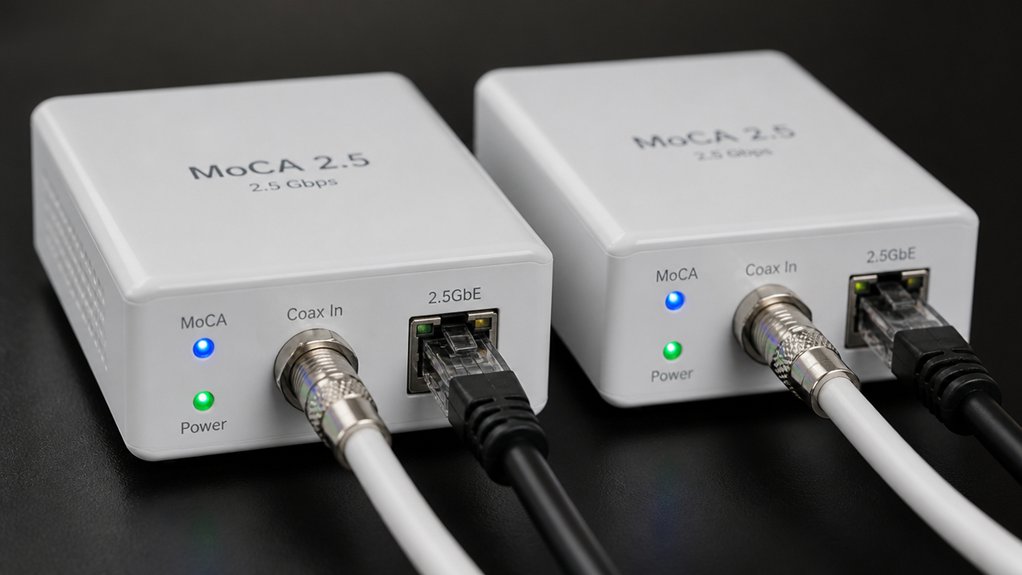
Before you pick a MoCA 2.5 adapter, check that it works with your existing router, ISP equipment, and coax wiring setup. Compare speed specs, PoE filter support, and what accessories come in the box, since some kits include filters and cables while others don’t. Also confirm the warranty length and whether the brand offers reliable customer support in case you run into setup issues.
Network Compatibility Requirements
Whether your home is already wired for cable or satellite, you’ll need to check a few compatibility requirements before MoCA 2.5 adapters will work for you. First, your home needs a functioning coax network with interconnected outlets and a main splitter for multi-room coverage. Second, you’ll need either a MoCA-compatible router or at least two MoCA adapters to establish the network. Third, confirm that all adapters on your network are cross-compatible, since some models don’t work together. Avoid using MoCA adapters if you have DirecTV, Dish Network, or AT&T U-verse, as these services conflict with MoCA. Also, check whether your DOCSIS 3.1 modem shares frequencies with MoCA, since overlap can cause issues. Finally, install a MoCA PoE filter at your cable entry point to prevent signal leakage outside your home.
Speed and Performance Specs
Once you’ve confirmed your coax network meets compatibility requirements, speed and performance specs are the next thing to evaluate. MoCA 2.5 adapters deliver up to 2.5 Gbps theoretical raw data rates, making them suitable for 4K/8K streaming and online gaming. Keep in mind that real-world throughput depends on your coax cable quality, network topology, and how many nodes you’re running. More nodes and older coax can reduce speeds below that 2.5 Gbps ceiling. Latency typically stays under a few milliseconds, which makes MoCA more responsive than most home Wi-Fi setups. Your network supports up to 16 nodes, so you can connect multiple rooms without separate Ethernet runs. Check that your DOCSIS modem and splitters don’t limit performance before purchasing.
PoE Support Availability
How much installation flexibility you need determines whether PoE support matters for your setup. If you’re powering devices like wireless access points or security cameras, a MoCA 2.5 adapter with PoE+ (IEEE 802.3at) lets you deliver up to 30W through the Ethernet port, eliminating the need for a separate power outlet at that location. Not all MoCA 2.5 adapters include PoE, so check the product specifications before purchasing. When PoE is present, it’s typically labeled as PoE or PoE+ in the product listing. Keep in mind that power delivery components may share resources with data transmission, which can slightly reduce maximum throughput. If you don’t need to power remote devices, a standard adapter without PoE works fine and may offer cleaner data performance.
Included Accessories Value
What’s included in the box can save you a trip to the hardware store or cost you an unexpected afternoon of sourcing parts. Look for kits that bundle adapters, power supplies, Ethernet cables, coax cables, and coax splitters together. A two-adapter kit should include two of each accessory, covering both your router area and your device area without requiring separate purchases. Check whether PoE filters are included or listed as recommended additions, since they affect network security and expandability. Quick-start guides and documentation help you complete setup correctly the first time, reducing troubleshooting time. If a kit is missing key components, calculate the added cost of sourcing them separately before deciding whether that kit is actually the better value.
Warranty and Support
Knowing how long a manufacturer stands behind its product tells you a lot about how much you should trust it. Warranty lengths for MoCA 2.5 adapters typically range from one to three years. ScreenBeam and Kiwee offer one-year coverage, while TRENDnet extends protection to three years. Check what each warranty actually covers, since most specify parts and labor but require proof of purchase and proper installation.
Support quality varies substantially by brand. Some manufacturers provide dedicated customer service with English-speaking advisors during set hours, while others limit you to online documentation and quick start guides. Before buying, confirm what support channels are available. Also factor in the retailer’s return policy. A 30-day Amazon return window gives you a practical backup if the adapter fails early.
Node Expansion Capacity
Once you’ve confirmed warranty coverage and support options, the next factor worth checking is how many devices you can really add to your MoCA network over time. MoCA 2.5 networks support up to 16 nodes, so you have room to expand across multiple rooms. Each adapter you add requires a coax outlet and a compatible MoCA port, which increases the number of coax splits in your setup. More splits can weaken signal quality, so your infrastructure limits expansion as much as the node count does. If your modem uses DOCSIS, check with your ISP before adding nodes, since some configurations cause interference. Plan your layout first, confirm your coax signal strength, then add adapters room by room to keep performance stable.
Final Thoughts
You’ve got seven solid MoCA 2.5 adapter options to extend your home network over existing coax cable. Match your choice to your speed needs, device count, and budget. Check ISP compatibility before buying, confirm your coax lines don’t serve DirecTV, Dish, or AT&T U-verse, and verify the warranty period. Once you’ve narrowed it down, install your adapters, connect your devices, and start using faster, more reliable wired speeds throughout your home.